Word Counter Tool — Everything You Need to Know About Word Count Online
Whether you're writing an essay, a blog post, a novel, or a tweet — knowing your word count is the first step to writing better.
Ever stared at a blank document wondering how many words is this after you've finished writing? Or needed to hit a specific word count for a school essay, a job application, or a platform character limit? A word counter online solves all of that in seconds — no downloading, no sign-up, just paste and count.
In this guide, we cover everything about the word counter tool: what it measures, why each metric matters, word count targets for different types of writing, and how to use Wordstopia's free word counter to check every number you need instantly.
What Is a Word Counter?
A word counter — also written as wordcounter or wordcount tool — is an online text analysis tool that instantly counts the number of words in any piece of text. Modern word counter online tools go far beyond just counting words. They also measure:
- Word count The total number of words in your text. This is the primary metric for essays, articles, and manuscripts. Most writing assignments specify a minimum or maximum word count.
- Character counter The total number of characters, both with and without spaces. Essential for social media platforms, SMS, and any platform that enforces character limits rather than word limits.
- Sentence counter The number of sentences in your text. A useful measure of writing complexity — too many long sentences can make text hard to read, while too many short ones can feel choppy.
- Paragraph count The number of paragraphs. Helpful for structuring long-form writing and checking that ideas are properly segmented and organised.
- Reading time calculator An estimate of how long it will take the average reader to finish your text, based on a reading speed of approximately 200–250 words per minute. Invaluable for blog posts, articles, and presentations.
📊 Quick fact: Wordstopia's free word counter tool updates all five metrics in real time as you type or paste — words, characters, sentences, paragraphs, and reading time, all at once.

Wordstopia's word counter online tracks words, characters, reading time, sentences, and paragraphs in real time — all free, no sign-up needed.
Why Word Count Matters — And When to Use a Word Count Checker
You might think word count is just a box to tick for homework assignments, but it plays a much bigger role in writing quality, SEO, and audience engagement. Here is why using a word count checker regularly makes you a better writer:
Academic Writing
Staying within the required word count is not just a formality — it shows you can express ideas concisely or develop them fully, depending on what is asked. Going significantly over or under the limit can affect your grade. A words counter lets you track progress as you write, so you never overshoot or fall short.
Blog Posts and SEO
Search engines favour content that thoroughly covers a topic. Blog posts that rank on page one of Google for competitive keywords tend to be 1,500–2,500 words long. A word counter online helps you check whether your article has enough depth — and a text analyzer helps you see how that length is distributed across paragraphs.
Social Media and Character Limits
Different platforms have different limits, and many enforce them by character rather than word. That is where a built-in character counter becomes essential. Going one character over your limit means your post won't publish — or gets cut off awkwardly.
Professional and Creative Writing
Publishers, literary agents, and editorial guidelines all specify word count ranges. Submitting a short story that runs 12,000 words to a market that accepts up to 7,500 will get it rejected regardless of quality. A word counter free tool means you can check before you submit.
Word Count Targets — How Many Words Is This for Each Type of Writing?
One of the most common questions writers type into search engines is simply: how many words is this supposed to be? Here is a quick reference for typical word count targets across different writing formats:
| Type of Writing | Typical Word Count | Notes |
|---|---|---|
| Tweet / X post | Up to 280 chars | Character limit, not word limit — use a character counter |
| Instagram caption | Up to 2,200 chars | Displays first 125 characters before "more" — front-load your hook |
| Short essay (school) | 500–1,000 words | Typically a single argument or response |
| Standard essay | 1,000–2,500 words | GCSE, A-level, or entry-level university work |
| Blog post (short) | 600–1,000 words | Quick tips, news, or commentary |
| Blog post (long-form) | 1,500–3,000 words | Best for SEO and comprehensive guides |
| Short story | 1,000–7,500 words | Flash fiction starts at 100 words; literary short story up to 15,000 |
| Novella | 20,000–50,000 words | Longer than a short story, shorter than a novel |
| Novel | 70,000–100,000 words | Genre fiction often runs 80,000–120,000; literary fiction varies |
| PhD thesis | 80,000–100,000 words | Varies by institution and discipline |
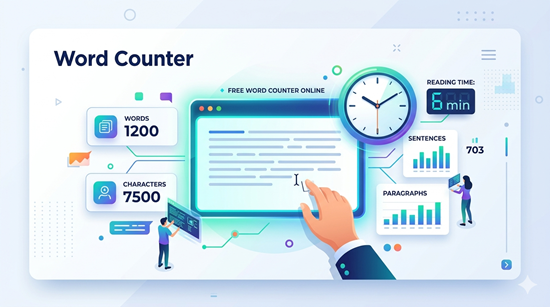
Wordstopia's free word counter gives you words, characters, sentences, paragraphs, and reading time — all updating as you type.
Character Counter — Social Media Limits at a Glance
A character counter is essential for anyone who writes for social media. Each platform enforces its own limits, and going even one character over means your content gets truncated or won't post. Here are the limits to know:
💡 Did you know? Twitter's original limit was 140 characters — exactly the length of an SMS message, because early tweets were sent by text. The limit doubled to 280 in 2017, though the average tweet is still only about 33 characters long.
Reading Time Calculator — Why It Matters for Blogs and Content
The reading time calculator in a word counter tool estimates how many minutes your text will take to read. It is based on the average adult reading speed of 200–250 words per minute for ordinary prose (technical or complex content is closer to 150 words per minute).
Why does reading time matter? Because modern readers decide whether to engage with an article based largely on how long it will take. Studies by Medium and other content platforms consistently show that articles with displayed reading times get higher click-through and lower bounce rates. A reading time calculator helps you:
- Set reader expectations Displaying "5 min read" above your article lets readers decide to bookmark it for later rather than bouncing immediately because they don't have time right now.
- Calibrate content depth A 10-minute read signals a comprehensive guide. A 2-minute read is a quick tip. Knowing your reading time helps you match the format to the audience's intent.
- Plan presentations and talks Speakers read aloud at roughly 125–150 words per minute. A word count checker paired with a reading-time estimate helps you verify that your script fits your time slot.
How to Use Wordstopia's Free Word Counter Online
Wordstopia's word counter online is the fastest, most complete free wordcounter available. Here is how to use it:
- Paste or type your text Copy your essay, article, email, social post, or any piece of writing and paste it into the text box — or type directly. All metrics update in real time.
- Read your word count instantly The word count appears immediately. You can also see character count (with and without spaces), sentence count, paragraph count, and reading time in one glance.
- Use the character counter for social media If you are writing for Twitter, LinkedIn, or Instagram, check the character count display to ensure you stay within the platform limit before you copy your text across.
- Track progress as you write The words counter updates live, so you can paste a draft and keep editing directly in the tool — watching your word count tick up (or down) with every edit.
- No sign-up, no cost Wordstopia's word counter free tool requires no account, no download, and no payment. Just visit wordstopia.com/word-counter and start counting.
Frequently Asked Questions About Word Count
How many words is this — how do I check quickly?
Paste your text into Wordstopia's word counter online and the word count appears instantly. You will also see your character count, sentence count, paragraph count, and estimated reading time all at once.
What is the difference between a word counter and a character counter?
A word counter counts the number of distinct words — groups of characters separated by spaces. A character counter counts every individual character, including letters, numbers, spaces, and punctuation. Most social media platforms, including Twitter and Instagram, enforce character limits rather than word limits, which is why both metrics matter.
How accurate is the reading time calculator?
The reading time calculator is a reliable estimate based on the average adult reading speed of 200–250 words per minute. It is intentionally an estimate — individual reading speeds vary, and complex or technical text takes longer to process than simple prose. For presentations, use 125–150 words per minute as your baseline for spoken delivery.
Does the word counter work for languages other than English?
Yes — the wordcounter counts words by detecting spaces and punctuation boundaries, so it works for any space-separated language including French, Spanish, German, Italian, and Portuguese. Languages without spaces between words (such as Chinese or Japanese) will not give accurate word counts, though the character counter will still work correctly for those.
What is a good word count for SEO blog posts?
Long-form content that comprehensively covers a topic tends to rank better in search engines. For most topics, aim for 1,200–2,500 words for a primary article. However, quality and relevance matter more than length alone — a tight 900-word post that directly answers a search query can outrank a padded 2,000-word one. Use a word count checker to ensure your content is thorough, not just long.
Ready to check your word count? Wordstopia's free word counter online is waiting — paste your text, get your numbers, and write with confidence.